本书作者:测试开发刚哥,文章版权归个人所有,未经授权请勿转载。
很多 API 并不是真正的实现了 RESTful,而应该叫做 RPC (Remote Procedure Call 远程过程调用),Roy Fielding 曾经提到了它们的区别,原文如下:
I am getting frustrated by the number of people calling any HTTP-based interface a REST API. Today’s example is the SocialSite REST API. That is RPC. It screams RPC. There is so much coupling on display that it should be given an X rating.

What needs to be done to make the REST architectural style clear on the notion that hypertext is a constraint? In other words, if the engine of application state (and hence the API) is not being driven by hypertext, then it cannot be RESTful and cannot be a REST API. Period. Is there some broken manual somewhere that needs to be fixed?

— Roy Fielding
https://roy.gbiv.com/untangled/2008/rest-apis-must-be-hypertext-driven
大概意思是,如果应用状态引擎(API)不是超文本驱动的,那么就不是 RESTful。
我的理解是,像超文本一样携带一个地址,可以寻址定位信息,如超文本的 link 属性。
超链接(Hypermedia)API
Hypermedia 指的是,返回结果中提供链接,连向其他 API 方法,使得用户不查文档,也知道下一步应该做什么。比如,当用户向 api.example.com 的根目录发出请求,会得到这样一个文档:
{"link": {
  "rel":   "collection https://www.example.com/zoos",
  "href":  "https://api.example.com/zoos",
  "title": "List of zoos",
  "type":  "application/vnd.yourformat+json"
}}
上面代码表示,文档中有一个 link 属性,用户读取这个属性就知道下一步该调用什么 API 了。rel 表示这个 API 与当前网址的关系(collection 关系,并给出该 collection 的网址),href 表示 API 的路径,title 表示 API 的标题,type 表示返回类型。
摘取自:http://www.ruanyifeng.com/blog/2014/05/restful_api.html
创建 api_root 的 Endpoint
回到教程的例子。在前面我们已经为snippets和users创建了 Endpoint,现在来创建根目录的 Endpoint,编辑snippets/views.py:
from rest_framework.decorators import api_view
from rest_framework.response import Response
from rest_framework.reverse import reverse


@api_view(['GET'])
def api_root(request, format=None):
    return Response({
        'users': reverse('user-list', request=request, format=format),
        'snippets': reverse('snippet-list', request=request, format=format)
    })
reverse()函数用来返回snippets/urls.py中 viewname 对应的 url,如path('users/', views.UserList.as_view(), name='user-list')。
然后添加到snippets/urls.py中:
path('', views.api_root),
创建 SnippetHighlight 的 Endpoint
还记得在上篇文章中提到的Snippet.highlighted字段么:
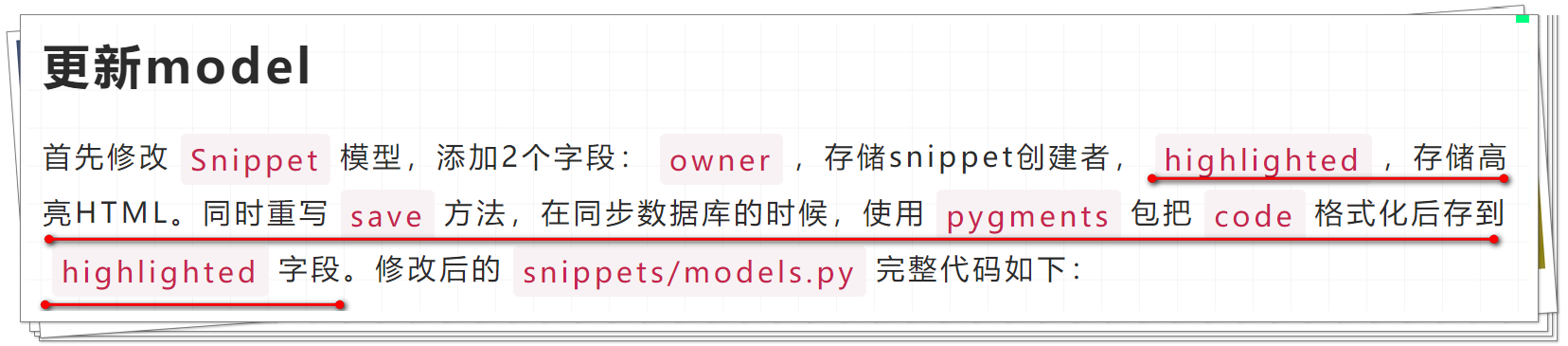
我们现在为它创建 Endpoint,继续编辑snippets/views.py:
from rest_framework import renderers
from rest_framework.response import Response

class SnippetHighlight(generics.GenericAPIView):
    queryset = Snippet.objects.all()
    renderer_classes = [renderers.StaticHTMLRenderer]

    def get(self, request, *args, **kwargs):
        snippet = self.get_object()
        return Response(snippet.highlighted)
然后添加到snippets/urls.py中:
path('snippets/<int:pk>/highlight/', views.SnippetHighlight.as_view()),
因为
snippet.highlighted不是 JSON 而是 HTML,所以用[renderers.StaticHTMLRenderer]返回预渲染的(pre-rendered)HTML。
HyperlinkedModelSerializer
在 Web API 设计中,一般有以下几种方式来表示实体之间的关系:
- 主键
- 超链接
- 关系实体(the related entity),唯一标识符字段(a unique identifying slug field)
- 关系实体,默认字符串(the default string representation)
- 关系实体,嵌入到父类中(the parent representation)
- 其他自定义
前 2 个比较熟悉,后面几个有点不太懂,我理解是类似于数据库的关联关系表。
DRF 支持以上所有方式,这里我们用 DRF 的HyperlinkedModelSerializer来实现真正的 RESTful。在snippets/serializers.py中把我们之前的代码:
class SnippetSerializer(serializers.ModelSerializer):
    owner = serializers.ReadOnlyField(source='owner.username')

    class Meta:
        model = Snippet
        fields = ['id', 'title', 'code', 'linenos', 'language', 'style', 'owner']


class UserSerializer(serializers.ModelSerializer):
    snippets = serializers.PrimaryKeyRelatedField(many=True, queryset=Snippet.objects.all())

    class Meta:
        model = User
        fields = ['id', 'username', 'snippets']
修改为:
class SnippetSerializer(serializers.HyperlinkedModelSerializer):
    owner = serializers.ReadOnlyField(source='owner.username')
    highlight = serializers.HyperlinkedIdentityField(view_name='snippet-highlight', format='html')

    class Meta:
        model = Snippet
        fields = ['url', 'id', 'highlight', 'owner',
                  'title', 'code', 'linenos', 'language', 'style']


class UserSerializer(serializers.HyperlinkedModelSerializer):
    snippets = serializers.HyperlinkedRelatedField(many=True, view_name='snippet-detail', read_only=True)

    class Meta:
        model = User
        fields = ['url', 'id', 'username', 'snippets']
其中ModelSerializer换成了HyperlinkedModelSerializer,后者的区别如下:
-
默认不包含
id字段 -
包含
url字段,用HyperlinkedIdentityField表示源码:
serializer_url_field = HyperlinkedIdentityField -
关系用
HyperlinkedRelatedField表示,而不是PrimaryKeyRelatedField源码:
serializer_related_field = HyperlinkedRelatedField
由于用了 HyperlinkedModelSerializer,SnippetSerializer 和 UserSerializer 的 url 字段默认指向的是'{model_name}-detail' url pattern,这是 DRF 定义的,在示例中就是'snippet-detail' 和'user-detail'。新增的highlight字段和url字段是一样的类型,它指向的是'snippet-highlight',而不是'snippet-detail'。
修改 url pattern
既然已经提到了 url pattern,那么在snippets/urls.py中修改一下:
from django.urls import path
from rest_framework.urlpatterns import format_suffix_patterns

from snippets import views

## API endpoints
urlpatterns = format_suffix_patterns([
    path('', views.api_root),
    path('snippets/', views.SnippetList.as_view(), name='snippet-list'),
    path('snippets/<int:pk>/', views.SnippetDetail.as_view(), name='snippet-detail'),
    path('snippets/<int:pk>/highlight/', views.SnippetHighlight.as_view(), name='snippet-highlight'),
    path('users/', views.UserList.as_view(), name='user-list'),
    path('users/<int:pk>/', views.UserDetail.as_view(), name='user-detail')
])
name 就是在
serializers.py和views.py中用到的。
添加分页
REST 设计基本原则提到了:处理好分页。DRF 添加分页的方式很简单,编辑tutorial/settings.py文件:
REST_FRAMEWORK = {
    'DEFAULT_PAGINATION_CLASS': 'rest_framework.pagination.PageNumberPagination',
    'PAGE_SIZE': 10
}
小结
我之前是在学 SpringBoot 的时候了解过 RESTful API 的超链接 API,文章开头的那一段介绍就是当时写的笔记,DRF 提供了HyperlinkedModelSerializer来实现,还是比较好理解的,其中的细节需要在实战中再多多熟悉。
参考资料:
https://www.django-rest-framework.org/tutorial/5-relationships-and-hyperlinked-apis/